Fall 2026 Info
CIS 596 - Entrepreneurial Computer Science Project - Fall 2026
CIS 598 - Computer Science Project - Fall 2026
Not Authoritative
Starting with the Fall 2026 semester, official K-State syllabi can be found in Coursedog.
This page is no longer the official syllabus, but it may still contain useful information for students.
Instructor Contact Information
- Instructor: Dr. Dan Andresen (dan AT ksu DOT edu)
- Office: DUE 2184
- Phone: (785) 532-6350
- Website: https://people.cs.ksu.edu/~dan/
- Virtual Office Hours: By appointment. Schedule on Calendly
- Instructor: Mr. Russell Feldhausen (russfeld AT ksu DOT edu)
- Office: DUE 2213, but I mostly work remotely from Kansas City, MO
- Phone: (785) 292-3121 (Call/Text)
- Website: https://russfeld.me
- Virtual Office Hours: By appointment via Zoom. Schedule via Calendly!
Preferred Methods of Communication:
- Email: Students should email questions directly to the instructors. We will try to respond within one business day.
- Chat: You may find instructors online via the CS department Discord server and Microsoft Teams. We will try to respond when we can, but if you don’t get a response please email us.
- Phone/Text: Emergencies only! We will do our best to respond as quickly as we can.
Prerequisites
- CIS 596: CIS 560, ENTRP 340 and senior standing in computer science. Students may enroll in CIS courses only if they have earned a grade of C or better for each prerequisite to those courses.
- CIS 598: CIS 560 and senior standing in computer science. Students may enroll in CIS courses only if they have earned a grade of C or better for each prerequisite to those courses.
Course Overview
Directed studies: selection, investigation and report on some topic not covered in prior courses; may include an implementation and/or experimentation component; may be done in collaboration with other students. Completion of a final report with literature review and project evaluation.
Course Description
In this course, students will complete a project, either individually or in small groups, under the supervision of a faculty advisor. The project will integrate concepts from prior courses, but also include a growth component including material not covered in prior courses.
Students will create and deliver several presentations throughout the semester on the status of the project, and will also be responsible for developing design documents and other artifacts. At the end of the semester, students will present their work in a public presentation graded by the faculty advisor.
Major Course Topics
- Software Engineering methodologies
- Software Design Documents & Artifacts
- Public Speaking & Presentation of Technical Information
- Planning and Iterating on a Large Software Project
- Taking a Project from Idea to Completion
- Demonstrating Independent Learning & Continuing Growth in Computer Science
Student Learning Outcomes
After completing this course, a successful student will be able to:
- Analyze a complex computing problem and to apply principles of computing and other relevant disciplines to identify solutions
- Design, implement, and evaluate a computing-based solution to meet a given set of computing requirements in the context of the program’s discipline
- Communicate effectively in a variety of professional contexts
- Apply computer science theory and software development fundamentals to produce computing-based solutions
Course Structure
The course meets in person Mondays from 3:30 - 4:20 PM in DUR 1066. Students should attend all in-person course sessions to which they are assigned. In-person sessions will primarily be used for student presentations throughout the semester. There may also be one or two Wednesday in-person class periods for presentations if needed. These dates will be clearly announced in advance.
On weeks where Monday falls on a university holiday, the course will instead meet in person on Wednesday of the same week unless otherwise announced.
Course work hours will be Wednesdays and Fridays from 3:30 - 4:20 PM online via Zoom. Attendance at these work hours is optional, but highly recommended. It is a good time to work on your project, ask questions, and get advice. The instructors will be available during these times to answer questions about the class or provide project assistance.
The Work
There is no shortcut to becoming a great programmer. Only by doing the work will you develop the skills and knowledge to make you a successful computer scientist. This course is built around that principle, and gives you ample opportunity to do the work, with as much support as we can offer.
Deliverables
- Initial Writeup & Feature List - typically early in the semester, students will submit an initial writeup detailing their project, identifying a faculty advisor, and listing the features for their project.
- Project Overview & Requirements Presentation - typically during the first and second month of the semester, each student will give a short 8-10 minute presentation introducing their chosen project, and discuss the requirements needed to complete the project.
- Project Design Presentation - typically during the third and fourth month of the semester, each student will give a short 8-10 minute presentation discussing the design of their project. This should include various relevant design artifacts, such as UML diagrams, GUI mockups, API specifications, and database ER diagrams.
- Final Project
- Advertisement - students will develop a single slide/image and abstract to be used for advertising their final project presentations.
- Presentation - during the final weeks of the semester, students will schedule a final project presentation. That presentation will be advertised through the department and given publicly. The student’s faculty advisor will grade the final project presentation.
- Artifacts - at the end of the semester, students must submit the full source code of their project, presentation materials, design documents, and a short writeup detailing the project, it’s completion status, and any future work to be done should another student choose to continue and build upon the project.
Grading
Since this is a project-based course with few deliverables, grading will be handled differently than most other college courses. Your final letter grade will reflect your overall performance in the course, including attendance, in-class presentations, public presentations, adherence to timelines, consistent progress throughout the semester, and the quality of the final project artifacts. Grading will be done in consultation between course instructors and a student’s faculty advisor.
A rough estimate of the relative grading importance of each deliverable is given below:
- 30% - Completion of Initial Artifacts and Presentations; In-Class Attendance and Adherence to Deadlines
- 70% - Final Project Presentation & Artifacts
Specifications Grading
The two in-class presentations will be graded using specifications grading. Put simply, the instructors will rate how well the presentation meets the specifications given and the expectations of the instructors. Therefore, students will be given one of the following four ratings:
- Exceeds Expectations
- Meets Expectations
- Needs Revision
- Incomplete
Students who receive a Needs Revision or Incomplete rating will be given one chance to redo the presentation during one of the online course work hours later that week.
Grade Letter Deductions
Since this is a senior-level course, points will not be given for things such as attendance and meeting deadlines, since those are expected of students at this level. However, failure to meet these expectations may result in a grade letter deduction at the end of the semester at the sole discretion of the instructors:
- Identify a project topic and faculty advisor before the deadline.
- Attend at least 80% of the in-class meeting times.
- Give a presentation on the scheduled date.
- Submit the final project advertisement by the deadline.
- Submit the final project artifacts by the deadline.
Reasonable accommodations will be made in case of unforeseen emergencies or university-excused absences. It is always best to reach out to the instructors as soon as you are aware of a situation that may require accommodation.
Collaboration Policy
In general, students are expected to work independently on a project unless given permission from the instructors. Team projects are welcomed, but come with additional expectations to ensure that each student participates fully and the project is appropriately scoped.
Since this is a project course, it is likely that some code in your project may come from other sources, such as a starter project or documentation. Students are expected to document each instance of code taken from another source through code comments marking the relevant location. The majority of the final project should represent the student’s own work.
Artificial Intelligence Usage Policy
This course uses a stoplight approach regarding the use of generative artificial intelligence (GenAI) tools, such as ChatGPT, Claude, Copilot, and others. Each assignment or group of assignments will be clearly labelled with one of three labels, indicating what level of GenAI usage is allowed.
Details

Policy Violations: Any usage of GenAI for this assignment will be treated as a violation of the K-State Honor Pledge and may result in a grade of 0 for the assignment and other sanctions approved through the K-State Honor Council.
Details

Citations Required: Any usage of GenAI must be noted and cited directly in the work, either in source code comments or text citations in written work. Citations should include the tool used, the prompt(s) given, context provided to the tool (e.g. existing code), and a discussion of how the results were used to complete the assignment.
No Direct AI Results: For this assignment, you may not include the GenAI results directly in your submission - it must be used to inform and adapted to fit your own work. For example, you may not prompt GenAI tools to just write your code and submit that directly; instead, you should ask for help performing specific tasks and then use the results within your own work.
Understand Your Work: To ensure compliance with this policy, the instructor reserves the right to request additional discussion or explanation of any work submitted by a student. The student should understand and be able to clearly explain all submitted work and code, even materials directly or indirectly produced by GenAI. A student who is unable to explain a submission to the satisfaction of the instructor may be considered to be in violation of this policy.
Policy Violations: Any usage of GenAI that involves direct submission of the GenAI outputs without additional work done by the student, or use of GenAI without proper citation, may be treated as a violation of the K-State Honor Pledge and may result in a grade of 0 for the assignment and other sanctions approved through the K-State Honor Council.
Details
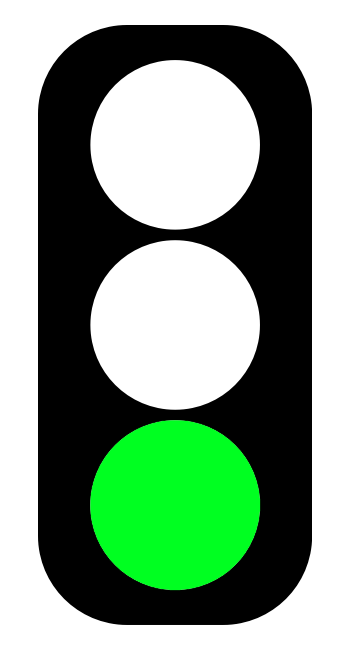
Citations Required: Any usage of GenAI must be noted and cited directly in the work, either in source code comments or text citations in written work. Citations should include the tool used, the prompt(s) given, context provided to the tool (e.g. existing code), and a discussion of how the results were used to complete the assignment.
Direct AI Results Allowed: For this assignment, you may include the GenAI results directly in your submission. It is still your responsibility to ensure the submission meets the assignment’s goals and is correct and factual - remember that GenAI is not infallible and may produce incorrect results. You are still solely responsible for ensuring the submission meets the stated assignment goals, and assignments in this category may receive additional scrutiny for correctness and accuracy.
Understand Your Work: To ensure compliance with this policy, the instructor reserves the right to request additional discussion or explanation of any work submitted by a student. The student should understand and be able to clearly explain all submitted work and code, even materials directly or indirectly produced by GenAI. A student who is unable to explain a submission to the satisfaction of the instructor may be considered to be in violation of this policy.
Policy Violations: Any usage of GenAI without proper citation may be treated as a violation of the K-State Honor Pledge and may result in a grade of 0 for the assignment and other sanctions approved through the K-State Honor Council.
Please contact the instructor if you have any questions about this GenAI policy. It is your responsibility to understand it and proactively ask questions if you are unsure; ignorance of this policy is not an excuse for violating it.
Artificial Intelligence Disclosure
In keeping with the expectation for transparency and citation regarding the use of generative artificial intelligence (GenAI), the instructors of this course will clearly denote any usage of GenAI tools in the process of teaching this class. Specific policies for the usage of GenAI by the instructors and TAs of this course are given below:
- RED: GenAI Prohibited Student Communication - GenAI will never be used to when communicating with students. We believe it is important for students to receive real, authentic communication from instructors and TAs.
- RED: GenAI Prohibited Grading - GenAI will never be used to suggest or assign grades for any student-submitted work. All grading decisions will be done solely by instructors and TAs.
- YELLOW: Limited GenAI Usage Allowed Code Review & Feedback - Instructors may use GenAI tools to assist with code reviews due to the scope and scale of these projects. However, all feedback given will be “human in the loop” with the final feedback coming directly from the instructors and TAs (see the first point above).
- YELLOW: Limited GenAI Usage Allowed Lesson & Learning Content - GenAI may be used in a limited way to construct lessons and learning content, such as homework scenarios or simple graphics. All usage of GenAI will be clearly marked and cited. (As of August 2026, no GenAI content exists in the course).
Late Work
As discussed above, students are expected to adhere to course deadlines. Failure to meet those deadlines may result in a letter grade deduction at the end of the semester.
If you have extenuating circumstances, please discuss them with the instructor as soon as they arise so other arrangements can be made. If you find that you are getting behind in the class, you are encouraged to speak to the instructor for options to get back on track.
Incomplete Policy
Students should strive to complete this course in its entirety before the end of the semester in which they are enrolled. However, since retaking the course would be costly and repetitive for students, we would like to give students a chance to succeed with a little help rather than immediately fail students who are struggling.
If you are unable to complete the course in a timely manner, please contact the instructor to discuss an incomplete grade. Incomplete grades are given solely at the instructor’s discretion. See the official K-State Grading Policy for more information. In general, poor time management alone is not a sufficient reason for an incomplete grade.
Unless otherwise noted in writing on a signed Incomplete Agreement Form, the following stipulations apply to any incomplete grades given in this course:
- Students who request an incomplete will have their final grade capped at a C.
- Students will be given a maximum of 8 calendar weeks from the end of the enrolled semester to complete the course. It is expected that students have completed at least half of the course in order to qualify for an incomplete.
- Students understand that access to instructor and TA assistance may be limited after the end of an academic semester due to holidays and other obligations.
Recommended Texts & Supplies
Students will make use of GitHub for source code management.
Students may use their choice of IDEs and software development platforms. Many of them are available in the Computer Science Department’s labs. If a particular software or framework is needed but cannot be acquired, consult with the instructors.
Subject to Change
The details in this syllabus are not set in stone. Due to the flexible nature of this class, adjustments may need to be made as the semester progresses, though they will be kept to a minimum. If any changes occur, the changes will be posted on the Canvas page for this course and emailed to all students.
Standard Syllabus Statements
Info
The statements below are standard syllabus statements from K-State and our program. The latest versions are available online here.
Netiquette
Info
This is our personal policy and not a required syllabus statement from K-State. It has been adapted from this statement from K-State Online, and theRecurse Center Manual. We have adapted their ideas to fit this course.
Online communication is inherently different than in-person communication. When speaking in person, many times we can take advantage of the context and body language of the person speaking to better understand what the speaker means, not just what is said. This information is not present when communicating online, so we must be much more careful about what we say and how we say it in order to get our meaning across.
Here are a few general rules to help us all communicate online in this course, especially while using tools such as Canvas or Discord:
- Use a clear and meaningful subject line to announce your topic. Subject lines such as “Question” or “Problem” are not helpful. Subjects such as “Logic Question in Project 5, Part 1 in Java” or “Unexpected Exception when Opening Text File in Python” give plenty of information about your topic.
- Use only one topic per message. If you have multiple topics, post multiple messages so each one can be discussed independently.
- Be thorough, concise, and to the point. Ideally, each message should be a page or less.
- Include exact error messages, code snippets, or screenshots, as well as any previous steps taken to fix the problem. It is much easier to solve a problem when the exact error message or screenshot is provided. If we know what you’ve tried so far, we can get to the root cause of the issue more quickly.
- Consider carefully what you write before you post it. Once a message is posted, it becomes part of the permanent record of the course and can easily be found by others.
- If you are lost, don’t know an answer, or don’t understand something, speak up! Email and Canvas both allow you to send a message privately to the instructors, so other students won’t see that you asked a question. Don’t be afraid to ask questions anytime, as you can choose to do so without any fear of being identified by your fellow students.
- Class discussions are confidential. Do not share information from the course with anyone outside of the course without explicit permission.
- Do not quote entire message chains; only include the relevant parts. When replying to a previous message, only quote the relevant lines in your response.
- Do not use all caps. It makes it look like you are shouting. Use appropriate text markup (bold, italics, etc.) to highlight a point if needed.
- No feigning surprise. If someone asks a question, saying things like “I can’t believe you don’t know that!” are not helpful, and only serve to make that person feel bad.
- No “well-actually’s.” If someone makes a statement that is not entirely correct, resist the urge to offer a “well, actually…” correction, especially if it is not relevant to the discussion. If you can help solve their problem, feel free to provide correct information, but don’t post a correction just for the sake of being correct.
- Do not correct someone’s grammar or spelling. Again, it is not helpful, and only serves to make that person feel bad. If there is a genuine mistake that may affect the meaning of the post, please contact the person privately or let the instructors know privately so it can be resolved.
- Avoid subtle -isms and microaggressions. Avoid comments that could make others feel uncomfortable based on their personal identity. See the syllabus section on Diversity and Inclusion above for more information on this topic. If a comment makes you uncomfortable, please contact the instructor.
- Avoid sarcasm, flaming, advertisements, lingo, trolling, doxxing, and other bad online habits. They have no place in an academic environment. Tasteful humor is fine, but sarcasm can be misunderstood.
As a participant in course discussions, you should also strive to honor the diversity of your classmates by adhering to the K-State Principles of Community.
SafeZone Ally
I am part of the SafeZone community network of trained K-State faculty/staff/students who are available to listen and support you. As a SafeZone Ally, I can help you connect with resources on campus to address problems you face that interfere with your academic success, particularly issues of sexual violence, hateful acts, or concerns faced by individuals due to sexual orientation/gender identity. My goal is to help you be successful and to maintain a safe and equitable campus.
Copyright Notice
© The materials in this online course fall under the protection of all intellectual property, copyright and trademark laws of the U.S. The digital materials included here come with the legal permissions and releases of the copyright holders. These course materials should be used for educational purposes only; the contents should not be distributed electronically or otherwise beyond the confines of this online course. The URLs listed here do not suggest endorsement of either the site owners or the contents found at the sites. Likewise, mentioned brands (products and services) do not suggest endorsement. Students own copyright to what they create.