Canvas to Codio Org
YouTube Video
The first step in creating a new Canvas course that you want to connect to a Codio course, is connecting the Canvas course to the Codio Organization.
Install Codio
By default, Codio is not an installed app on Canvas. You will need to install the app.
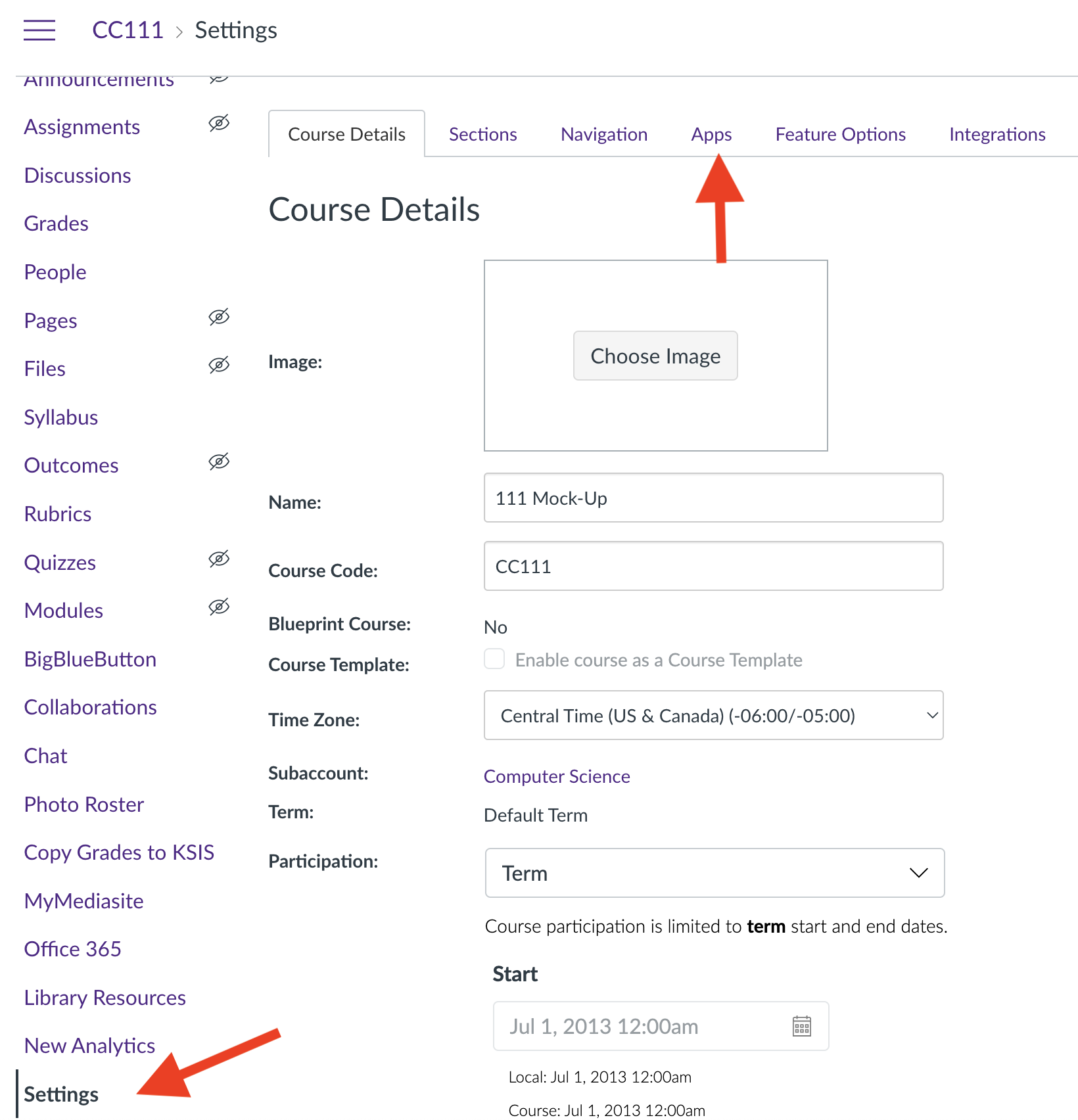
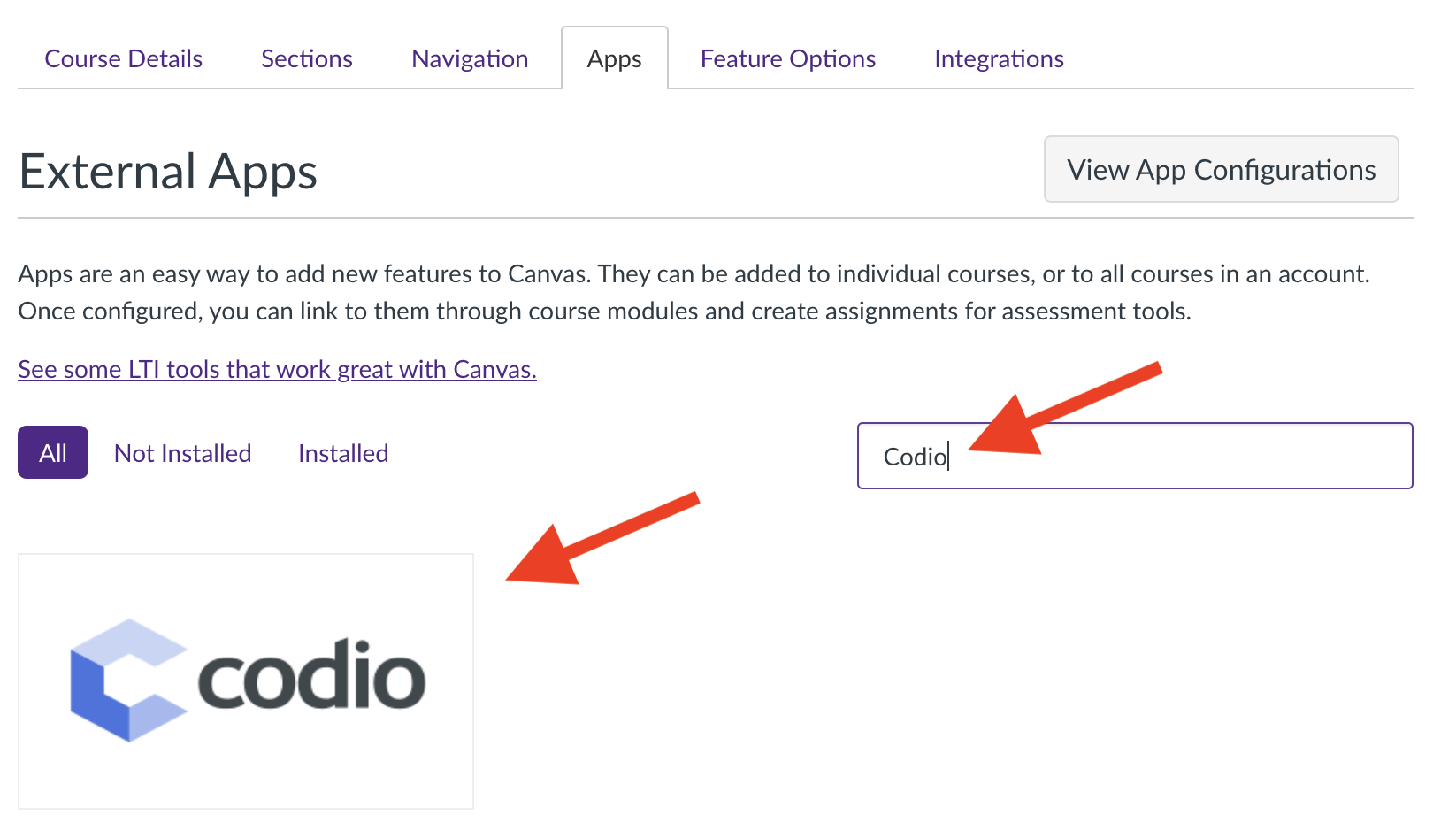
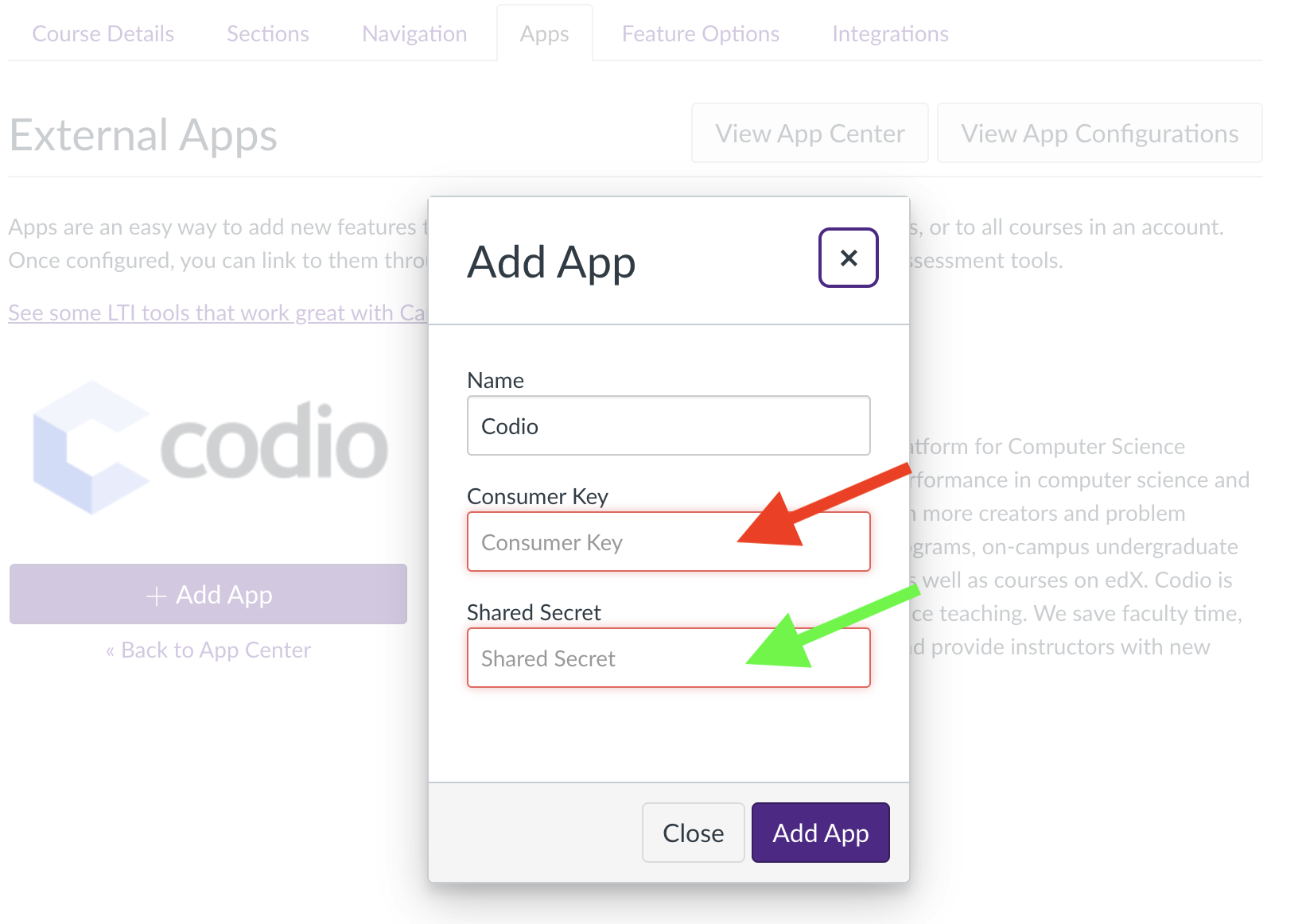
Once you install it, you will be prompted to enter the ‘Consumer Key’ and ‘Secret Key’
Tip
Canvas’s “Add App” is requesting Codio’s “Organization” information.
To get these requested keys, you will need to do the following
Get Codio LTI Keys
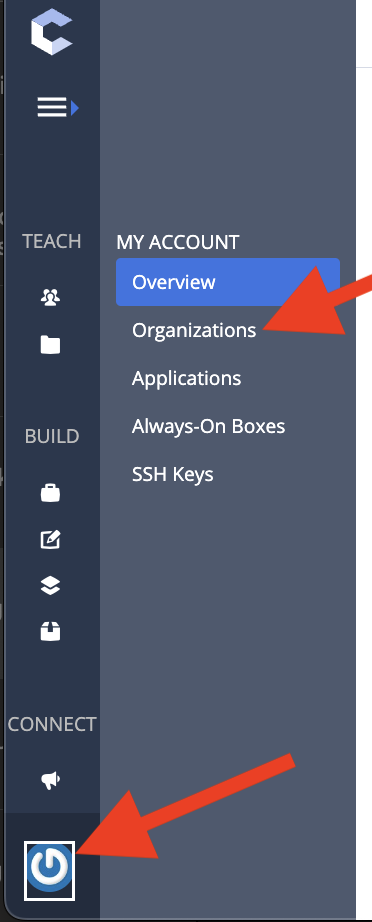
Open up the organization by selecting the button that looks like a power button. Then select “Organizations”
Tip
You might have just one organization and that is fine!
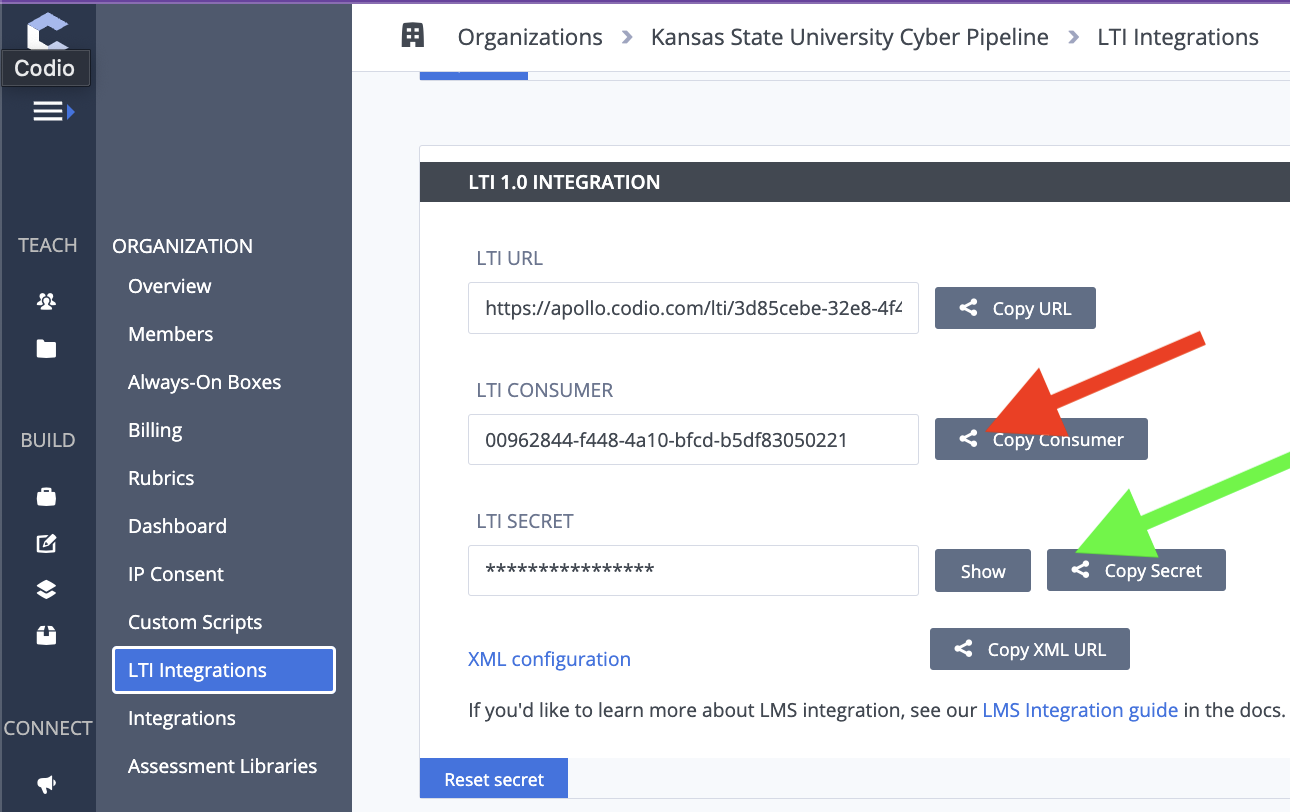
If you have more than one organization, select the organization where the course was created. Once you select the organization, you will select “LTI Integrations”.
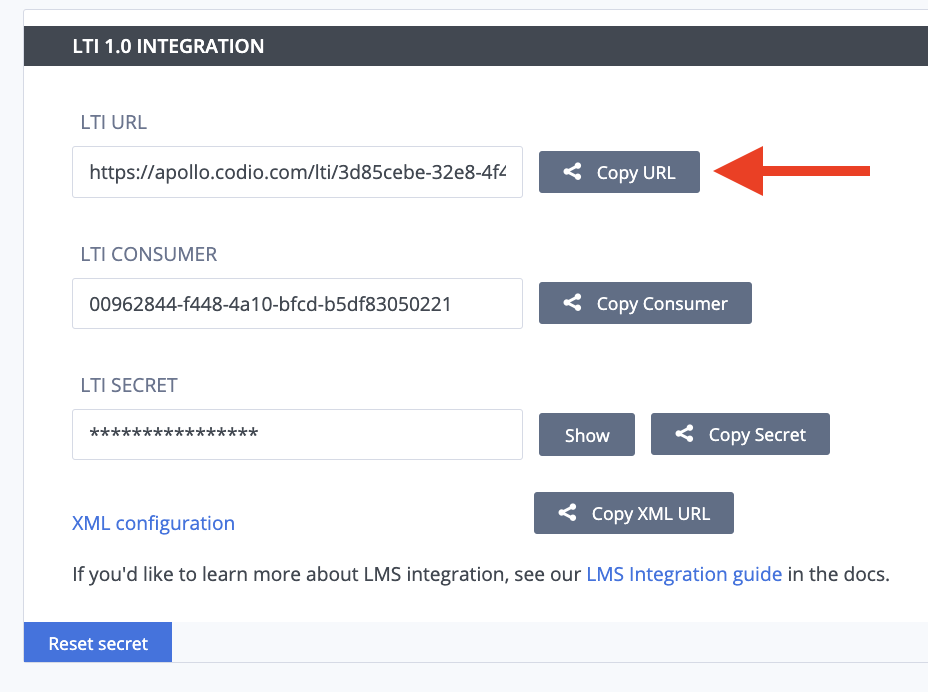
Copy the Keys
You will copy Codio’s “LTI Consumer” into Canvas’s “Consumer Key” and Codio’s “LTI Secret” into Canvas’s “Shared Secret”.
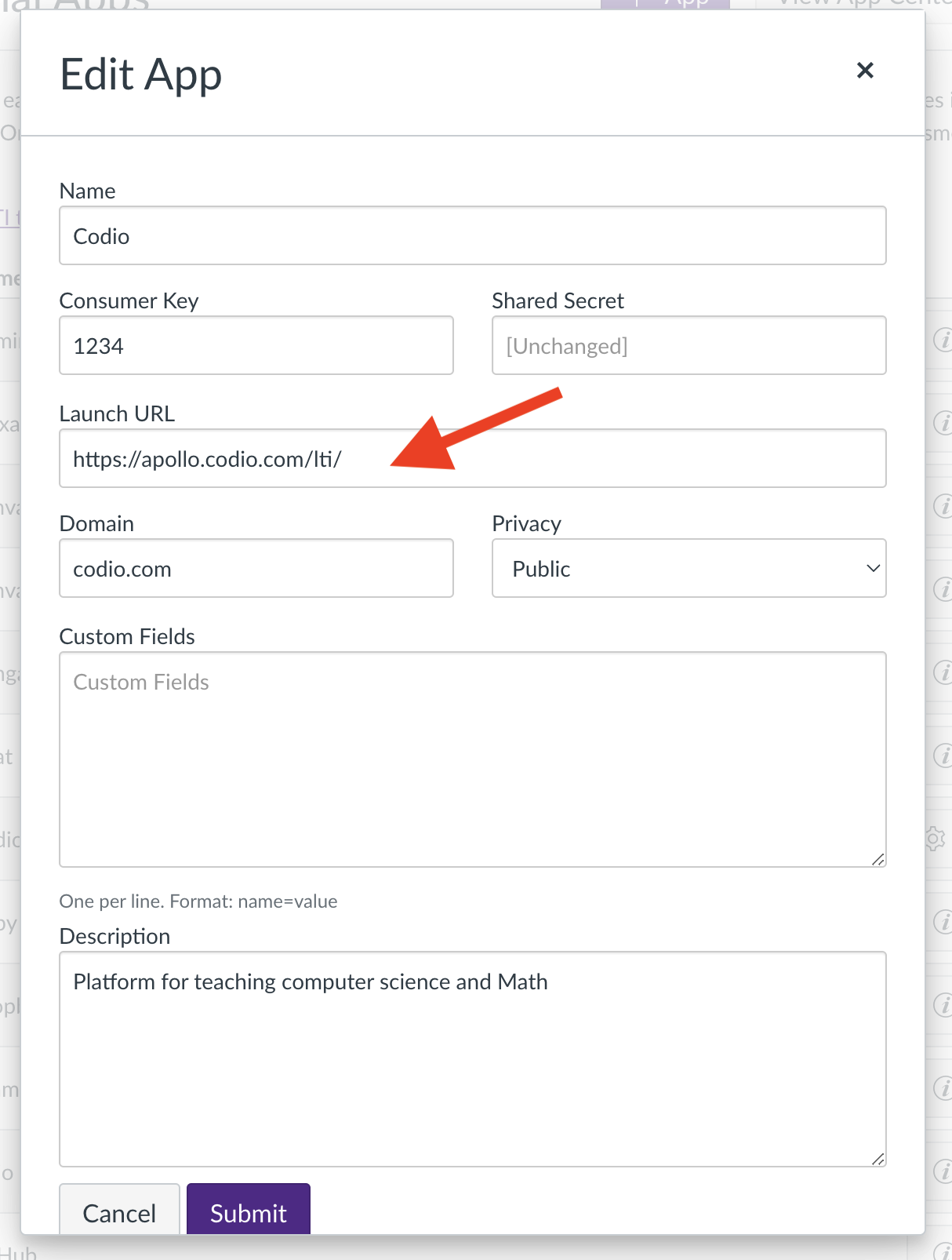
Launch URL
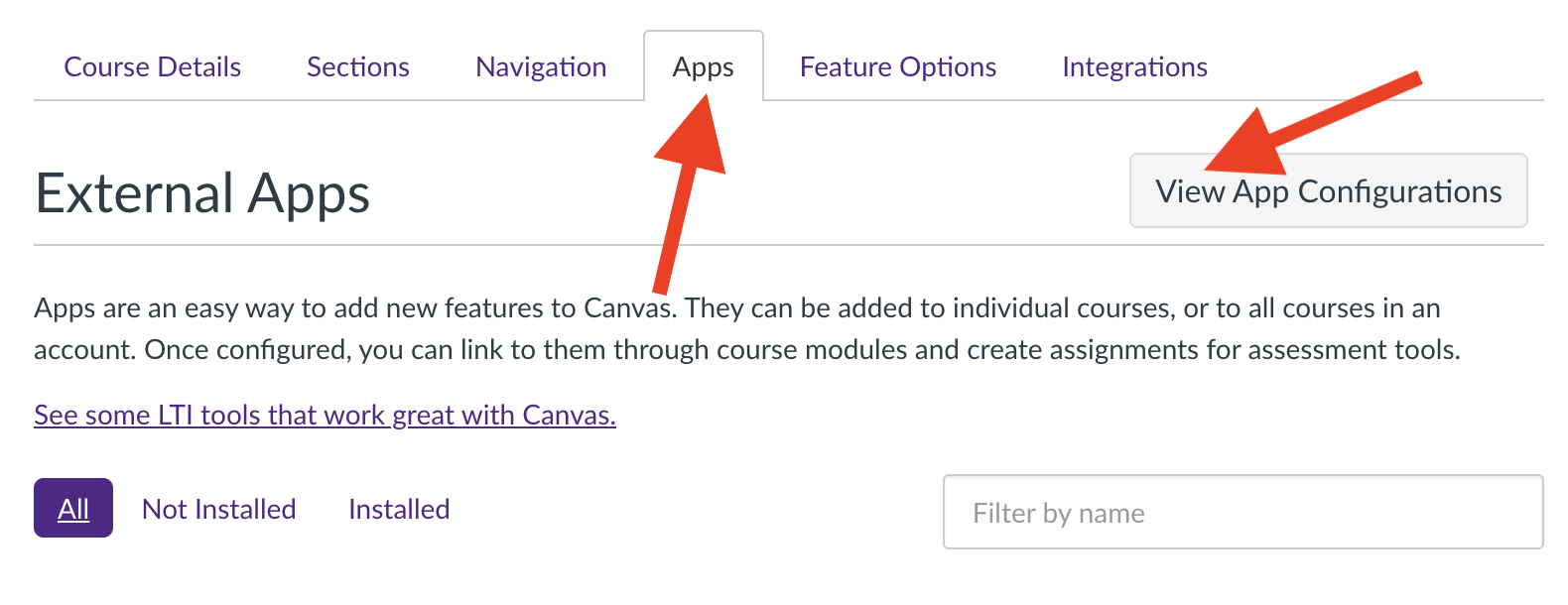
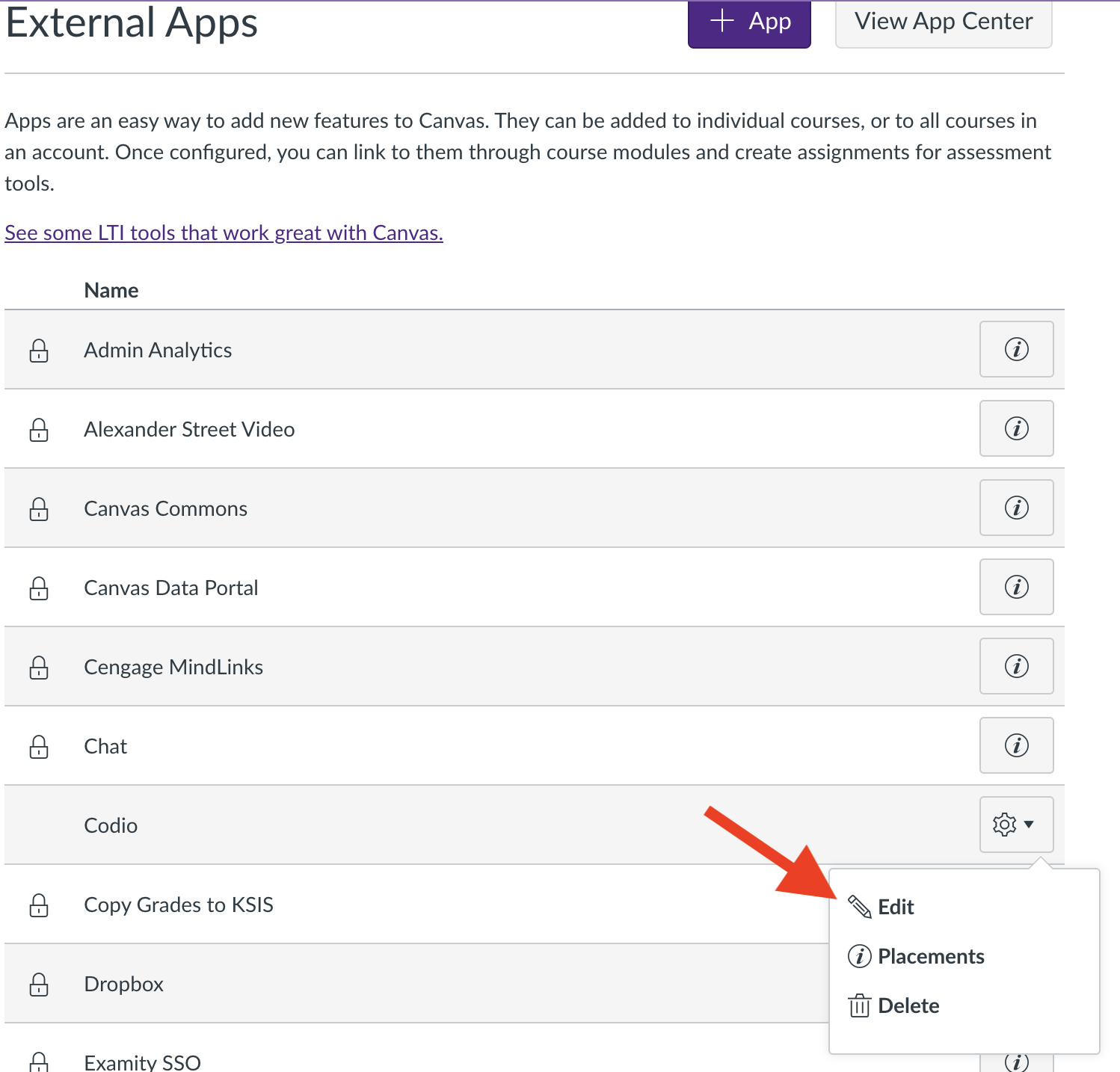
The last step is to set up the launch url in Canvas. To access this, you will need to open the Codio app in Canvas
Tip
Unless the “Secret Key” in Codio gets changed, we won’t have to worry about these values in the future.
Canvas to Codio Course
YouTube Video
Once you have the Canvas course connected to the Codio Organization, you can connect the Canvas course to the Codio Course.
As with the connection to the Codio organization, you will edit the Codio app configurations in Canvas.
This step only requires that you update the “Custom Fields”
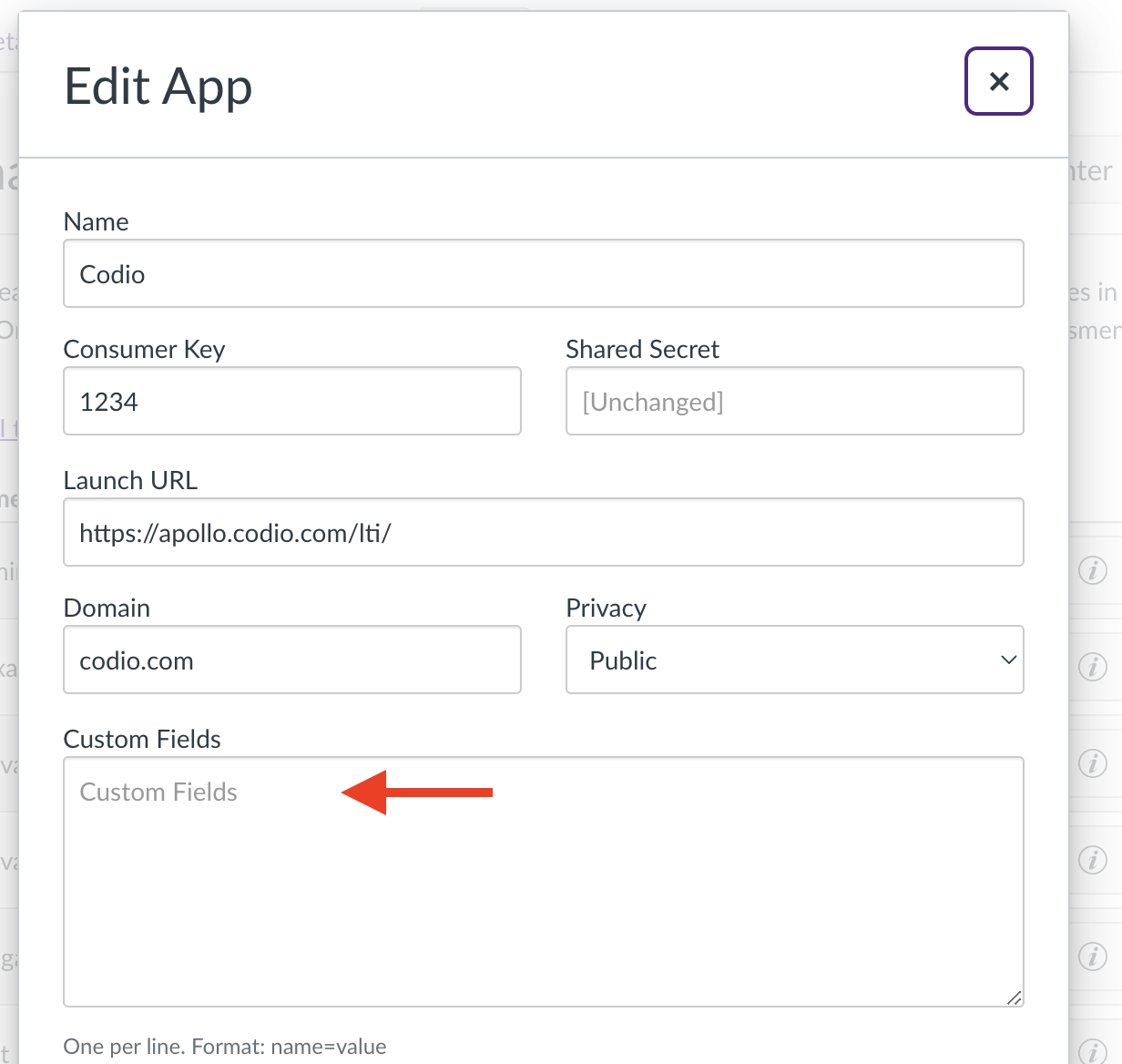
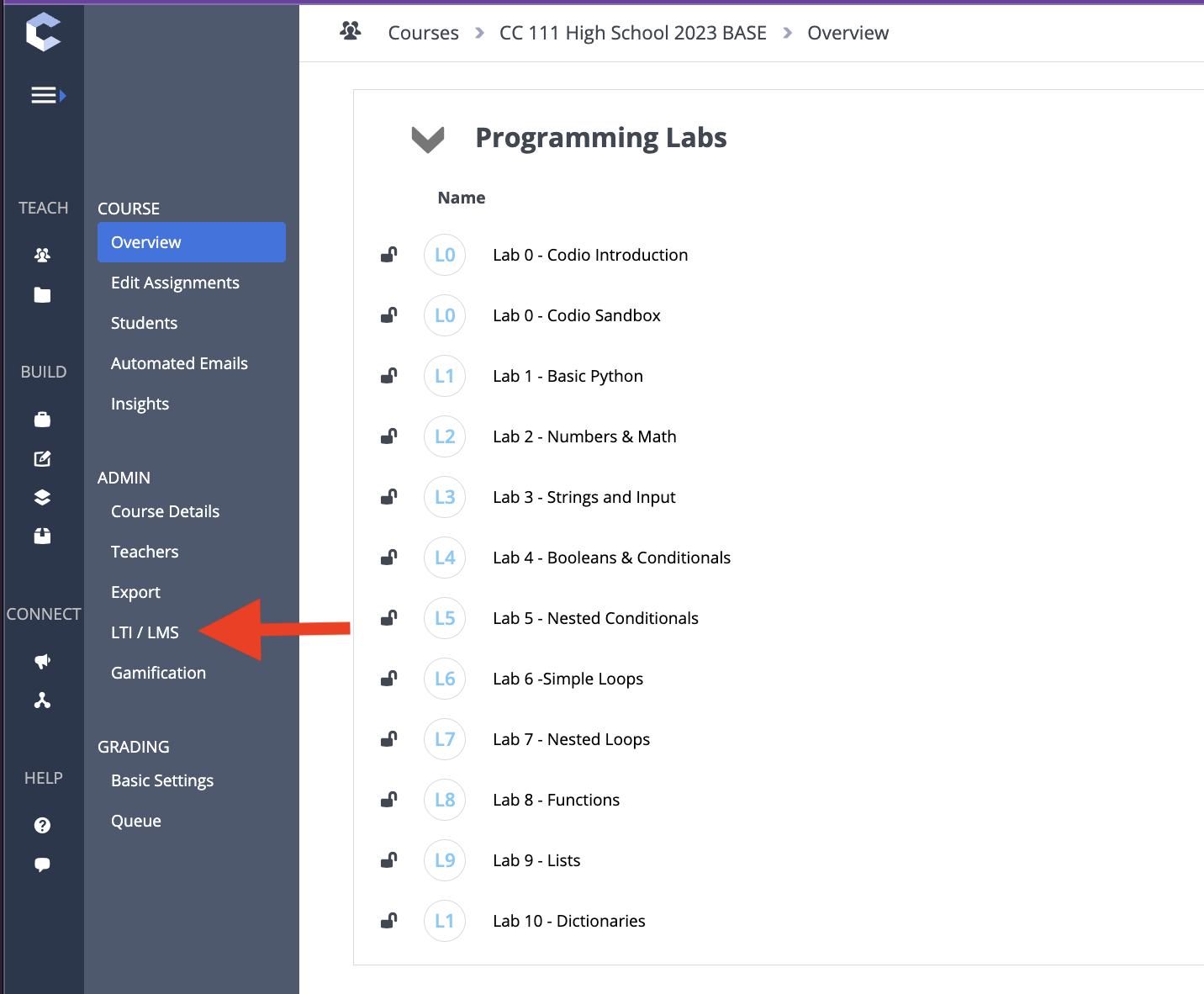
The particular field gets two values from Codio: “codio_course_target_id” and “codio_parent_course_id”. To get these, open the Codio course and select “LTI/LMS”. Copy these two fields and paste them into the Canvas “Custom Fields”, one per line.
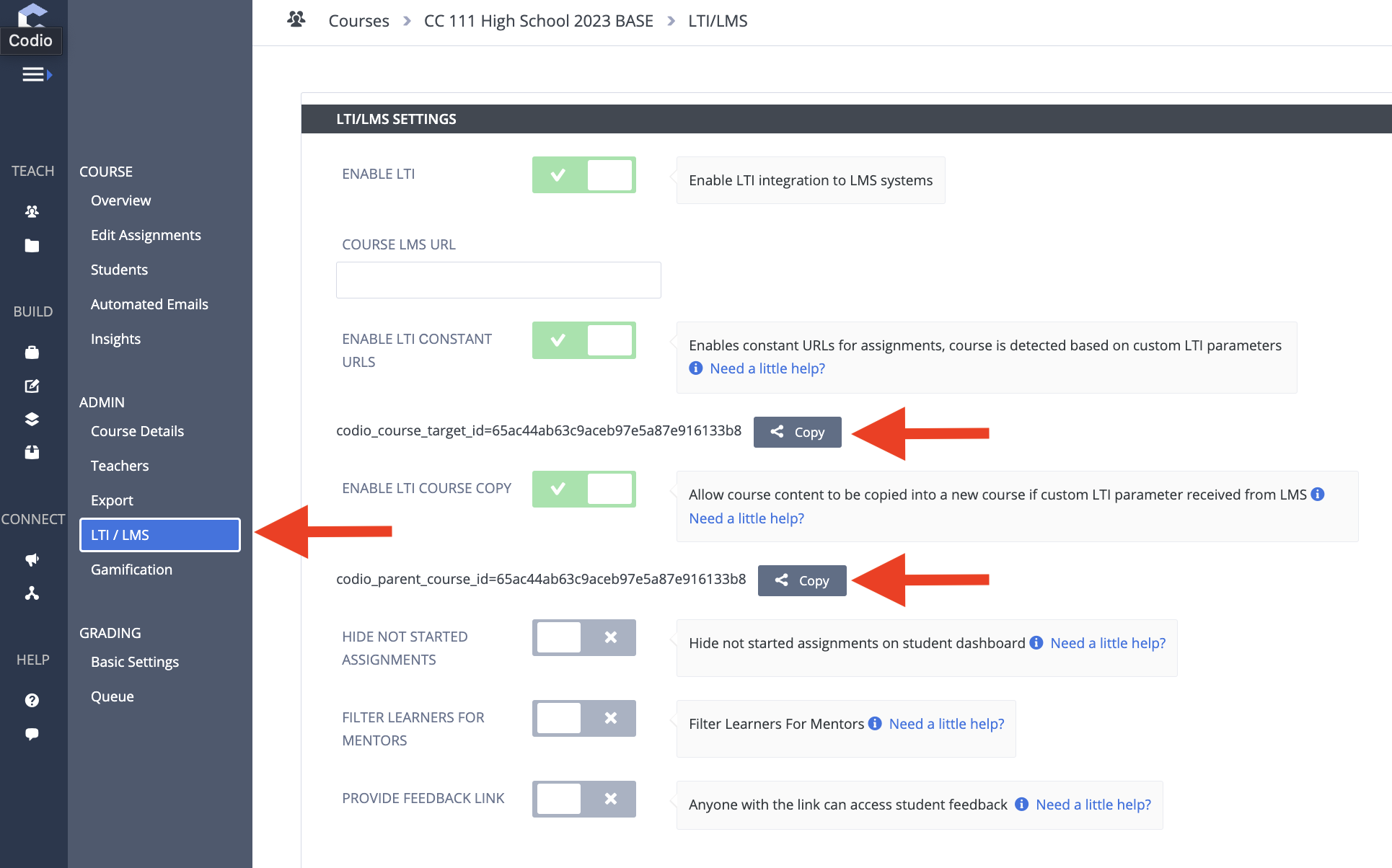
Tip
When we clone the course, we will refer to these values again.
Canvas to Codio Assignment
YouTube Video
In this part, we will be adding assignments to the Canvas course.
The key parts of this step are to have the submission type be an “External Tool” and “Load in a New Tab”.
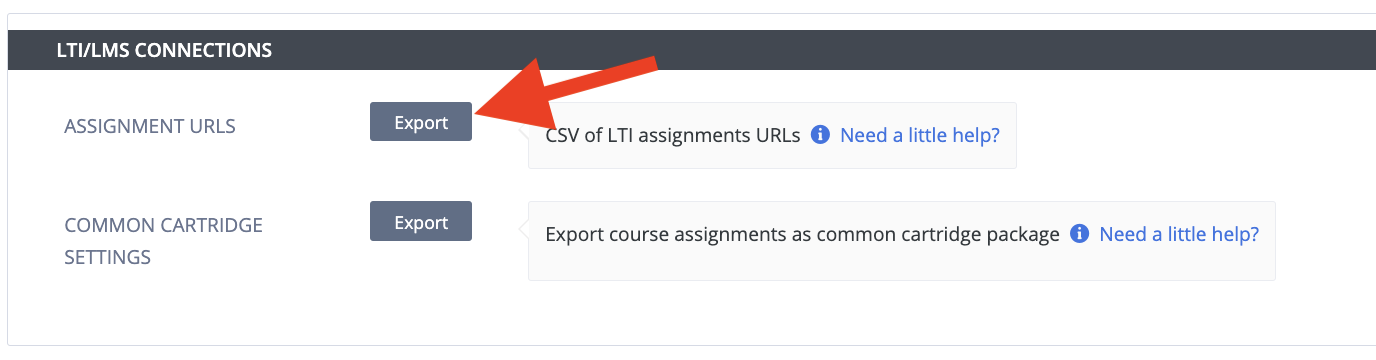
You will need to get the assignment URL from Codio.
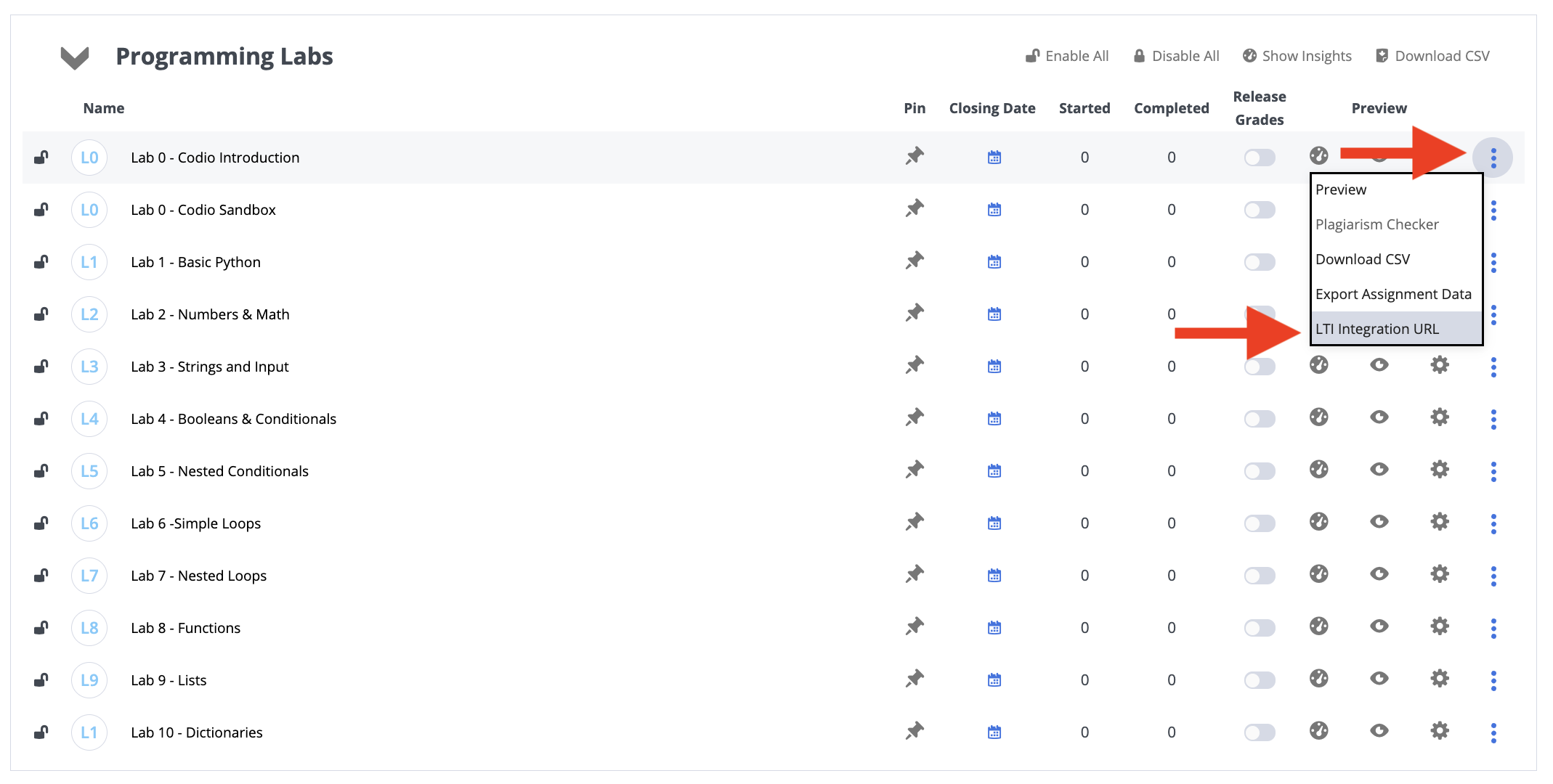
Accessing All LTI/LMS URLs
When first setting up a course, it is helpful to export the Assignment URLs.